Talk to your customers on every channel, from one place.Sell more.
Bring web chat and WhatsApp into one inbox. Miss no message, catch every sales opportunity, and keep your customers coming back.
Powerful features, built for growth
Everything you need to manage customer conversations and boost your support efficiency
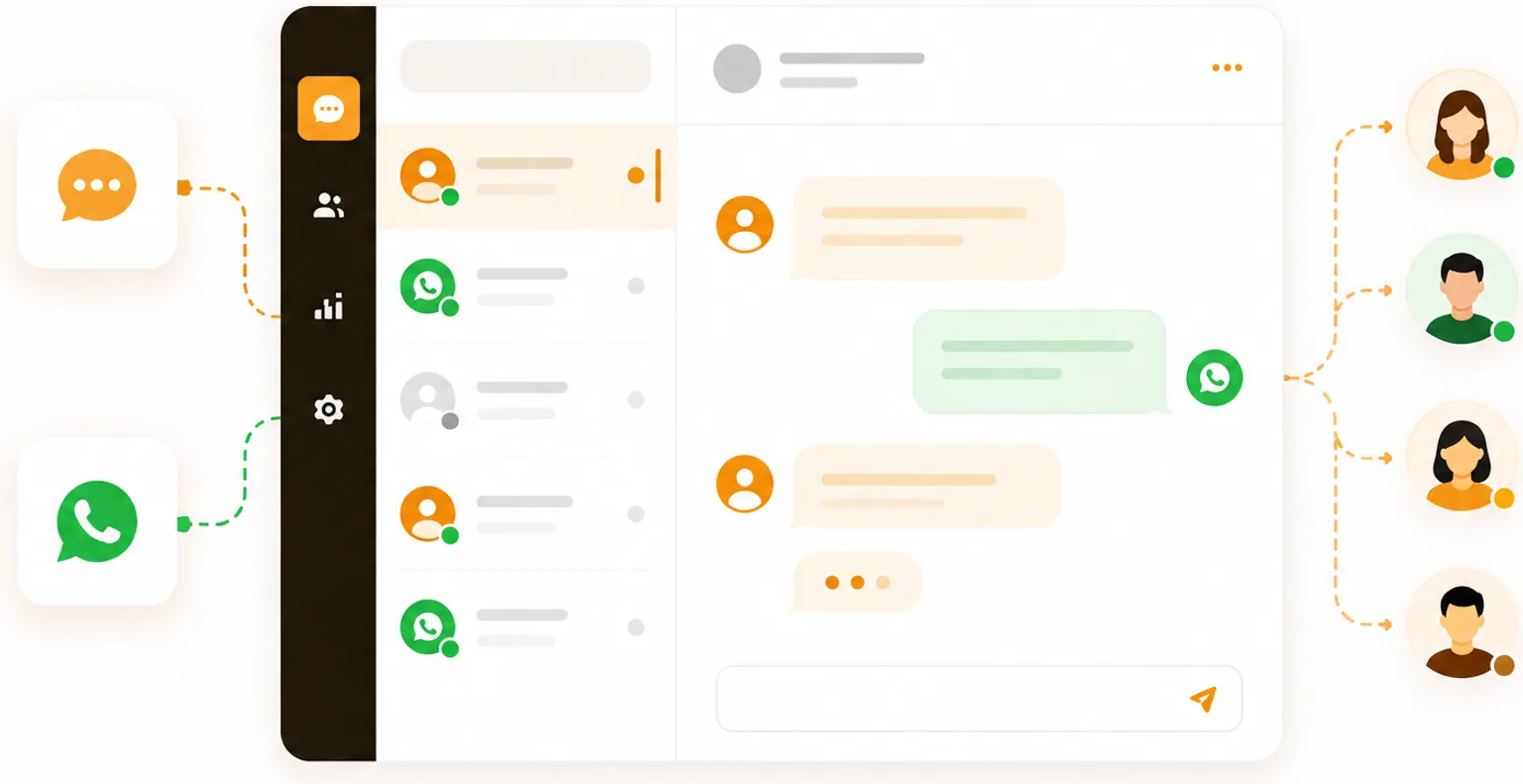
One inbox, every channel
Web chat and WhatsApp land in the same list. You open a conversation without checking where it came from and answer from one screen, and the customer gets the reply where they wrote.
- Handle every channel from one panel, as it happens
- Take a conversation, assign it to a teammate, pick an outcome when closing
- Tags and internal notes: what it was about, and what the team should know
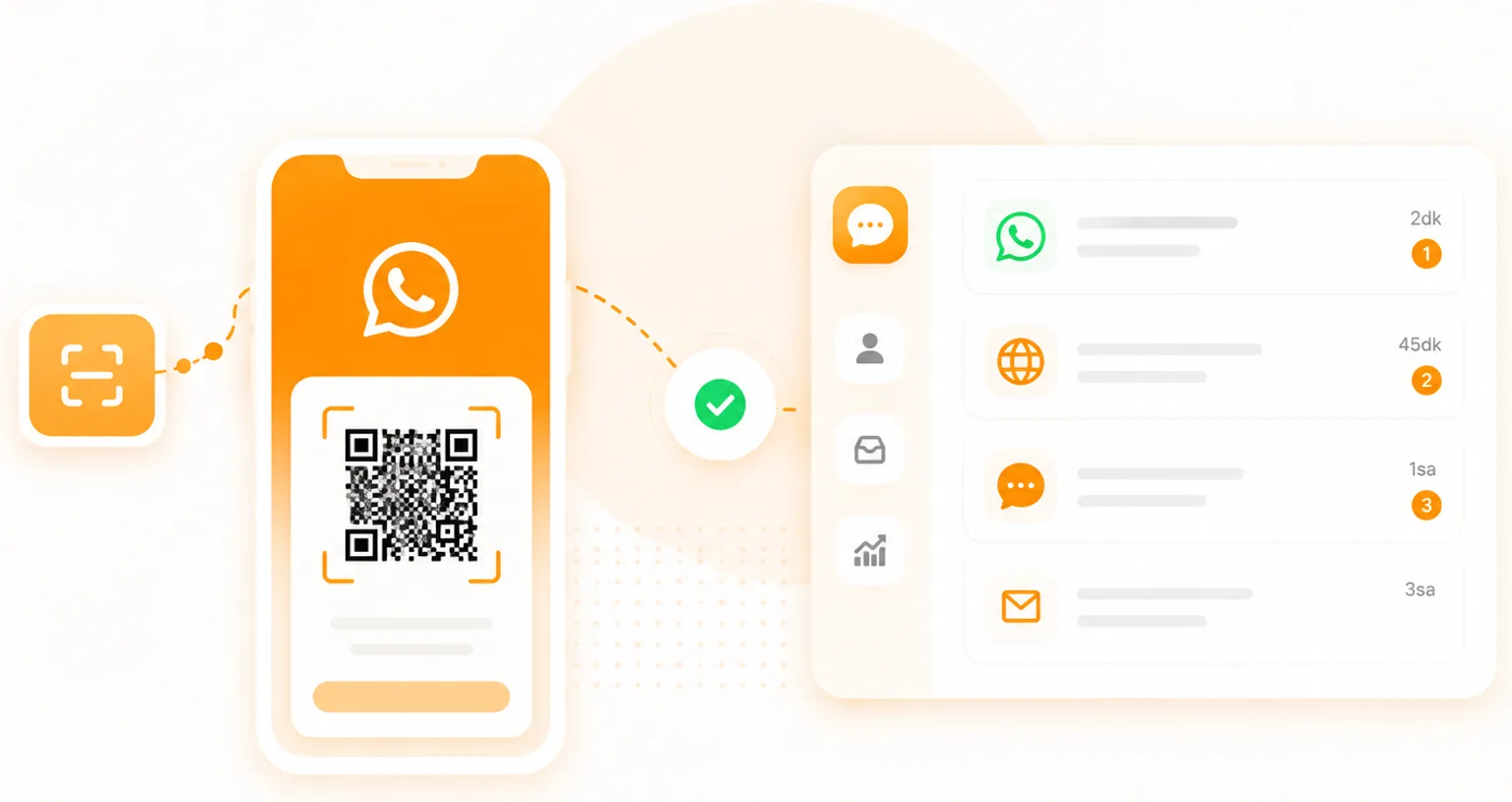
Connect WhatsApp by scanning a code
Your customers keep writing to WhatsApp the way they always have, and your number stays the same. You scan a QR code in WhatsApp on your phone, and in seconds the conversations start flowing into the panel.
- No Business API application, no approval process, no new number
- Up to five numbers when sales and support keep their own; replies always go out from the number that was written to
- Text, images, video, documents and voice notes relayed both ways
- A WhatsApp sender merges with the web visitor who left the same number
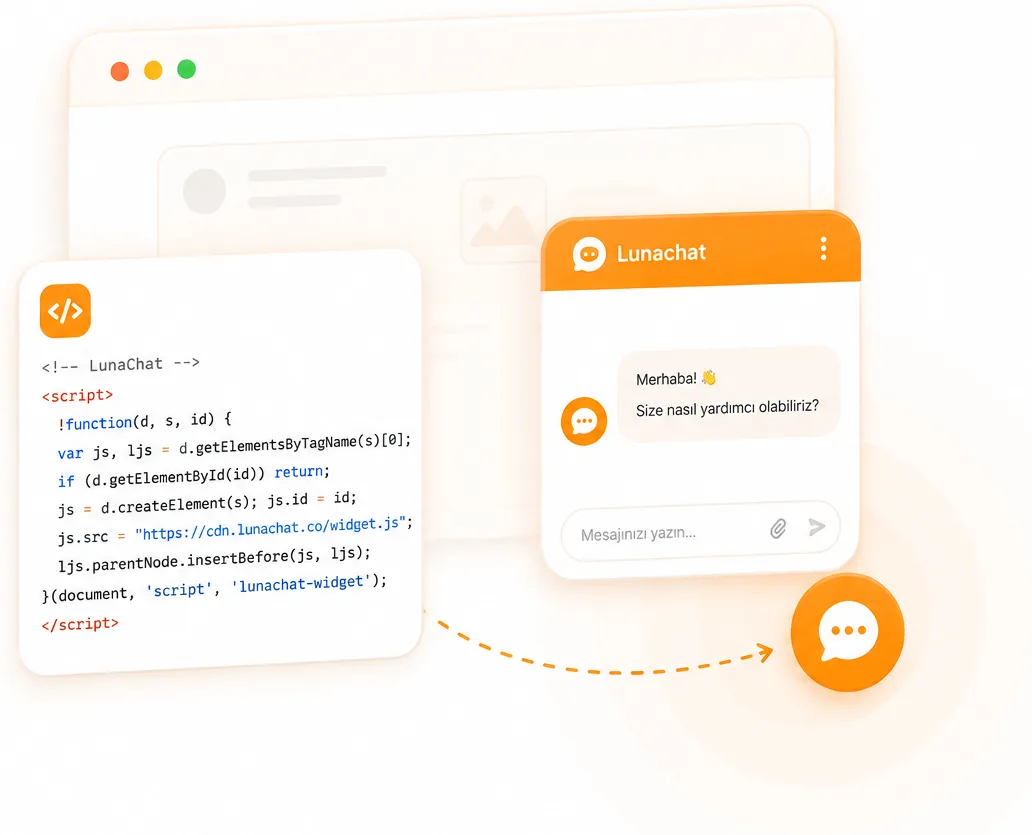
One line of code on your site
The chat box goes in with a single line of code, or through Google Tag Manager if that is what you use. You pick its colour and greeting, and it will not clash with the design of your site.
- It will not slow your pages down; visitors do not wait for it
- The greeting changes when nobody is online, or the box stays hidden entirely
- A card that asks the visitor for a name and contact details, before or after the chat
- A JavaScript API: open the chat from your own button, verify a signed-in user with a token your server signs
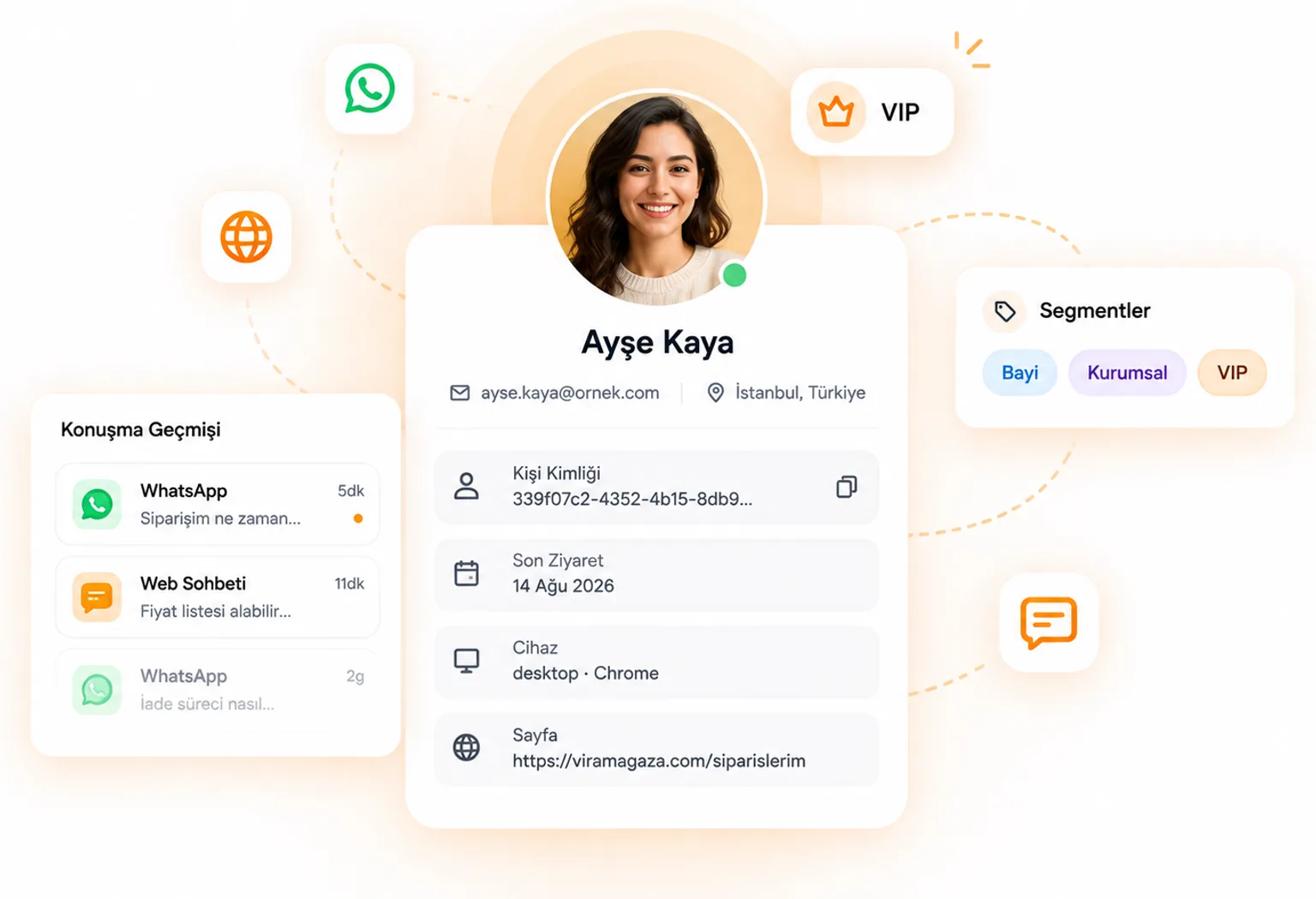
Answer knowing who you are talking to
The person sits next to the conversation: which page they are on right now, which city and device they came from, and what you talked about before. You never have to ask the same question twice.
- A live list of everyone browsing right now: who is on which page, from which city, for how long
- Visitor context: current page, referrer, city, device and browser
- Past conversations, email, phone and custom fields on the contact card
- Contact tags outlive the conversation: reseller, business, VIP
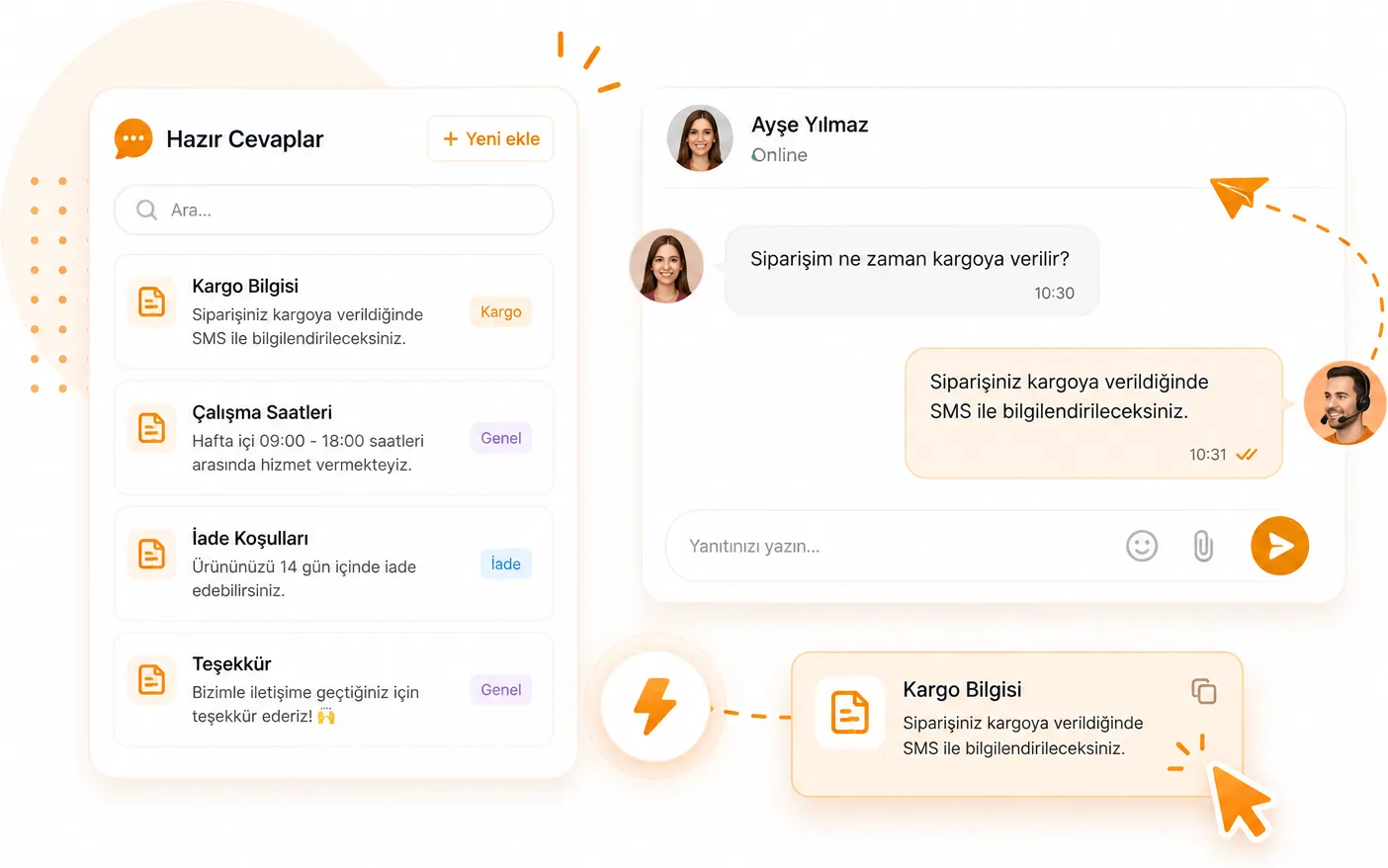
Saved replies and teamwork
Call up the answer you type ten times a day instead of typing it again. Invite the team, share the queue, and let the list show who is on what.
- Type /shipping mid-message to pull in a saved reply; search and usage counts included
- Email invitations, with admin and agent roles
- A sound on new messages, a counter in the tab title, and desktop notifications
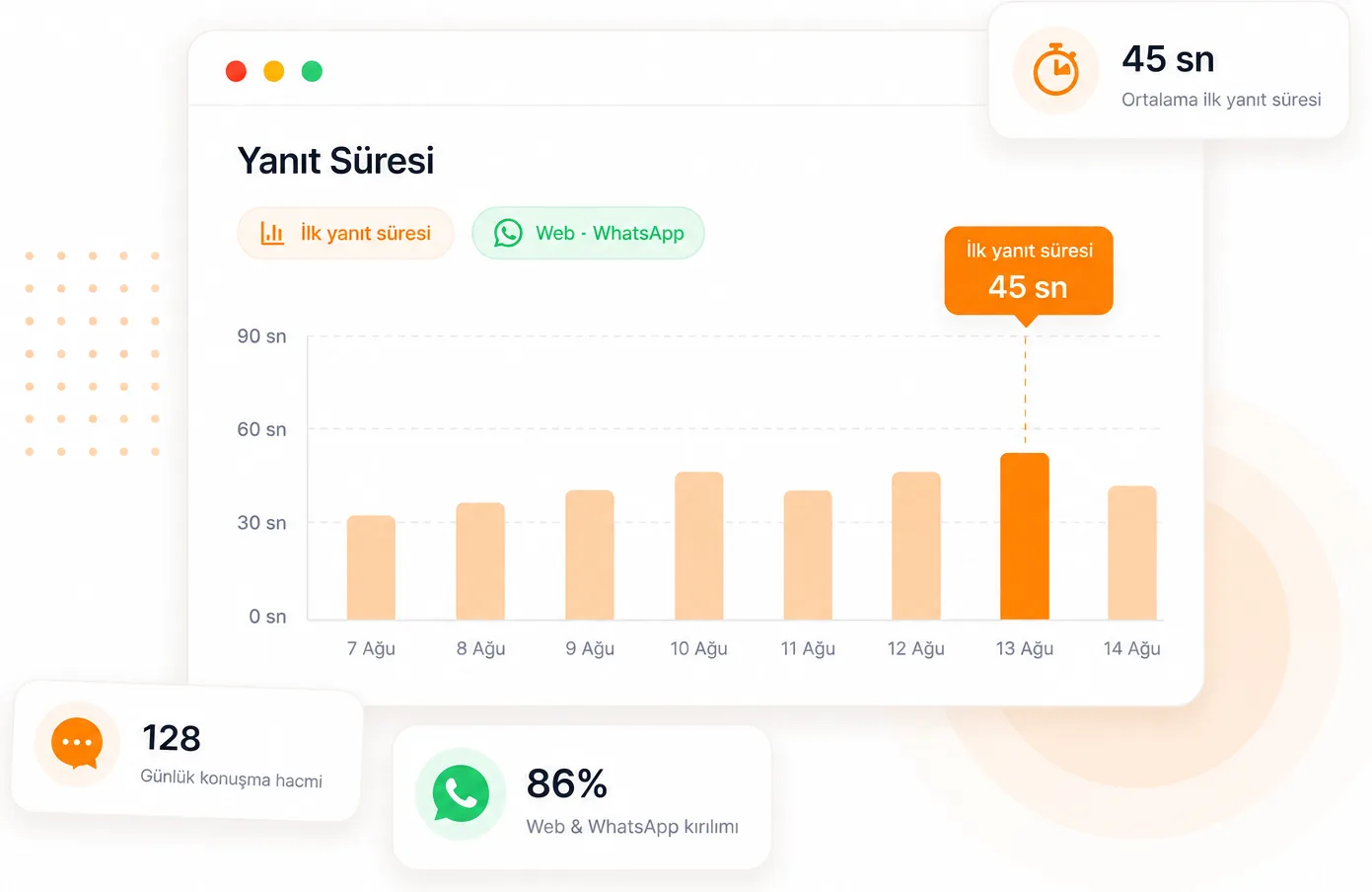
See how fast you answer
The reports screen answers two questions: how many conversations arrive each day and through which channel, and how long your first reply takes. No vanity dials, two numbers that matter.
- Daily conversation volume, split by web and WhatsApp
- Average first response time
- The outcome chosen at closing: resolved, sale, lost
Start the conversation before they do
Let a visitor who spends two minutes on your pricing page get a message on their own. You build the flow on a canvas in the panel. It appears as a bubble next to the chat button first, and the conversation opens once the visitor answers.
Triggers and conditions
Time on the page, a delay after the widget loads, or intent to leave. You narrow who sees it by page URL, city, device, referrer, UTM and the fields you send yourself.
Steps and quick replies
A message, up to five quick replies, a wait, and a branch on the answer. A flow can tag the conversation, assign it to an agent, or leave a note and hand it to a human.
Brakes on by default
A 30-minute floor per visitor, one message per page view, and a dismissed bubble that stays gone for the session. Outside working hours a flow never fires.
From the blog
What we write about WhatsApp, live chat and data protection. Not product announcements, but what we learn doing the work.
Frequently asked questions
Ready to unify your customer support?
Web chat and WhatsApp in one inbox. Ten minutes to set up, no credit card required.