Visitors
Watch who is browsing your site, live
Someone on your site shows up on the Visitors page before they ever write to you. See what page they're on, where they came from, and send the first message yourself if you want.
Before you start
- At least one site with the chat widget running
Steps
Open Visitors in the left menu
The list holds everyone with your site open right now, whether they've started a chat or not. Each row's icon shows one of three states: chatting, browsing, or idle for a while.
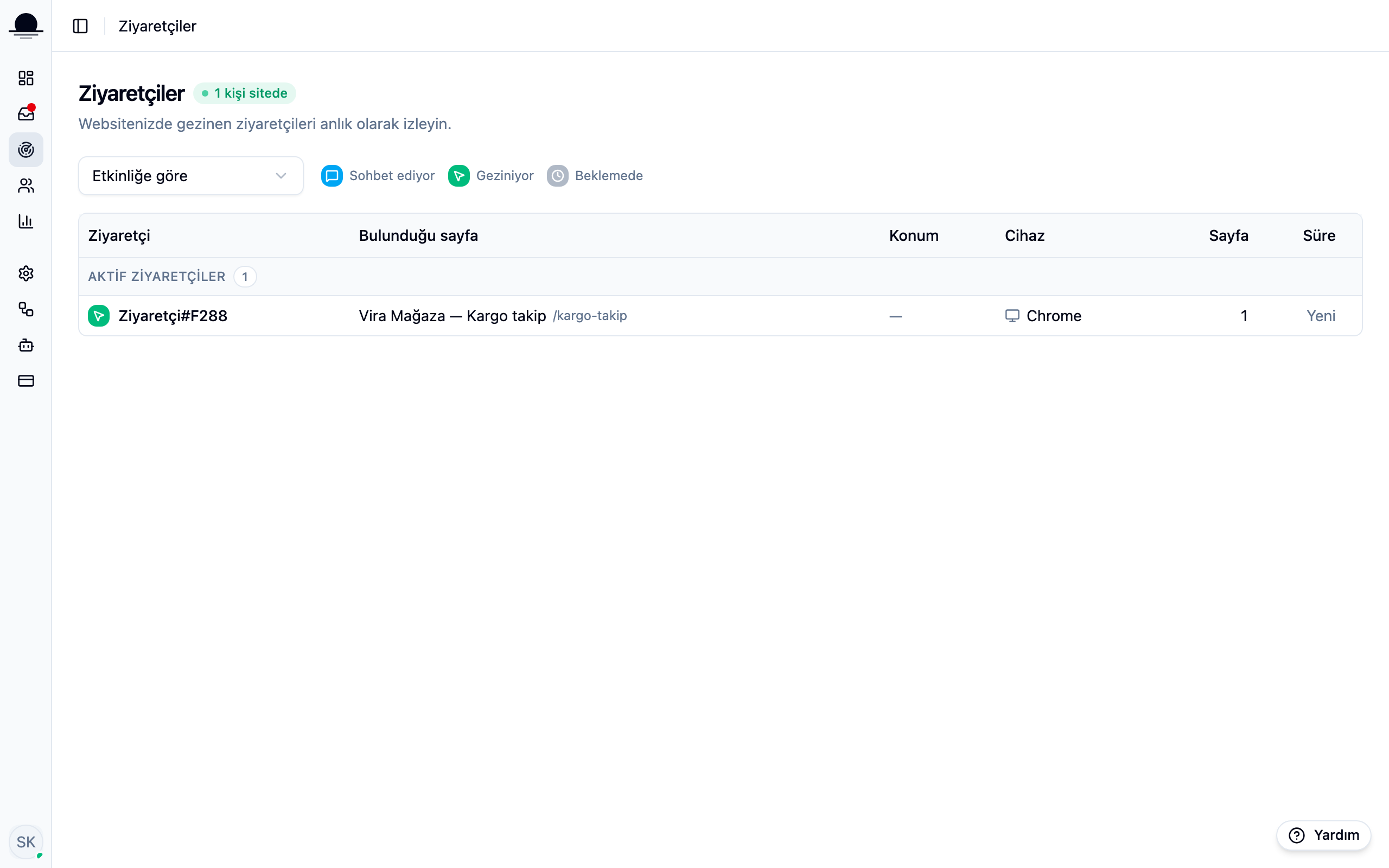
The list updates itself. When a visitor changes pages, their row flashes green for a moment, so you don't have to hunt for what changed.
Group the list when it's crowded
The selector at the top groups the list by state, site, page, country or city: by state puts chatting first and browsing after, by site earns its keep once you run more than one chat widget, by page when a lot of people are stuck on the same one. With more than one site, each row also shows which one the visitor came from.
Click a row to open their card
The panel that slides in from the right shows the visitor's location, device, the page they're on and where they came from, and how they first found the site. Any past conversation is listed below.
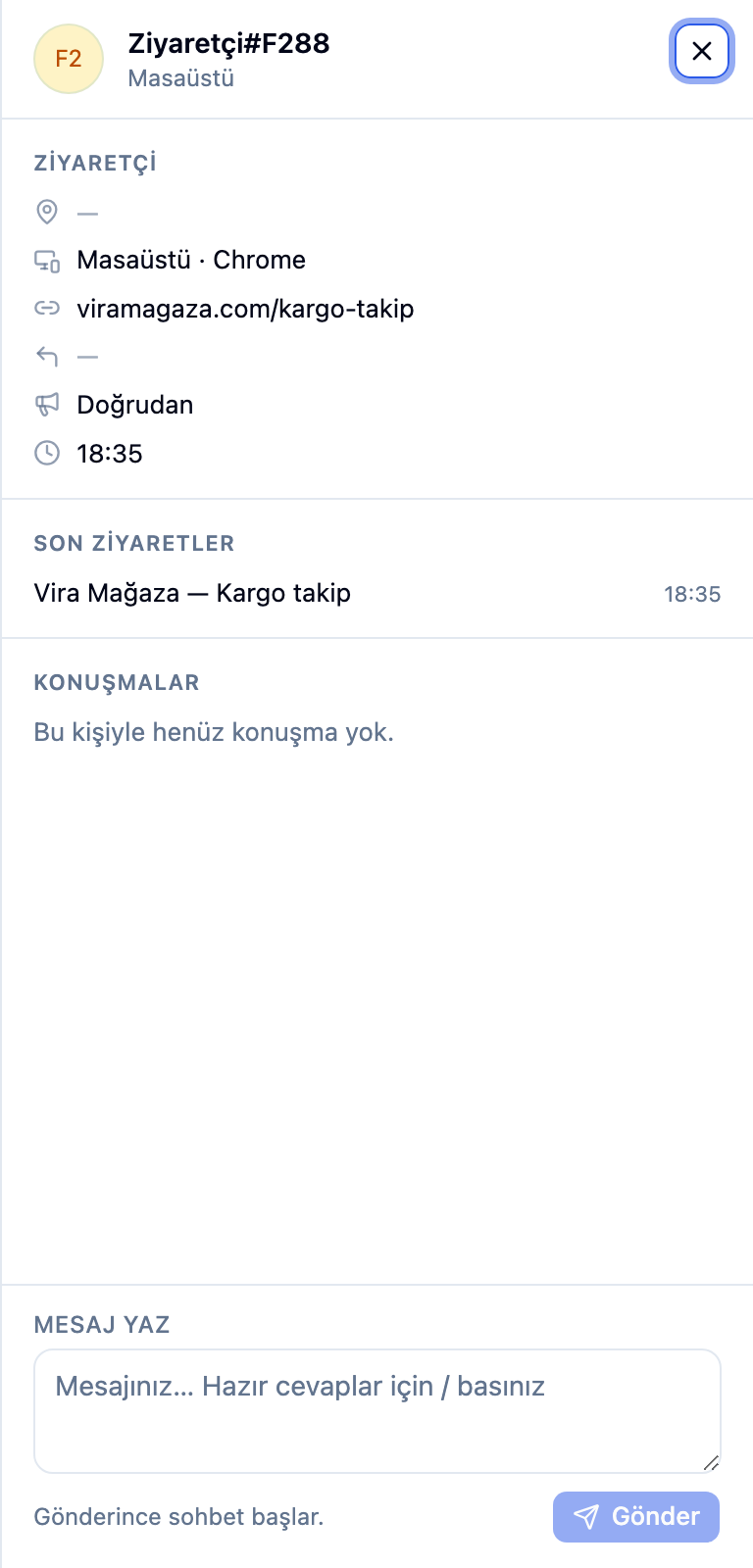
Send the first message yourself, if you want
With no open conversation, a message box sits at the bottom of the card. Send one and it starts a conversation that lands in your inbox; if they reply, it carries on from there. When a conversation is already open, an Open conversation button takes its place.
Instead of writing to everyone by hand, the same idea can run as an automation flow — a message sent on its own to anyone who spends a set amount of time on a given page.
Frequently asked
Related guides
No account yet?
The free plan covers 2 users and 200 conversations a month. No credit card.