Automation
Build your first automation flow
Let a visitor lingering on your pricing page get a message on their own. A flow is one trigger and the steps hanging off it; it starts switched off, so nothing goes out until you say so.
Before you start
- At least one site with the chat widget running
- Admin access in the panel
- An idea of what you want to say to the visitor
Steps
Create a flow on the Automation page
The list shows every flow in the workspace, which site it runs on, and how often it has fired. A new flow opens switched off, so nothing reaches a visitor until you are ready.
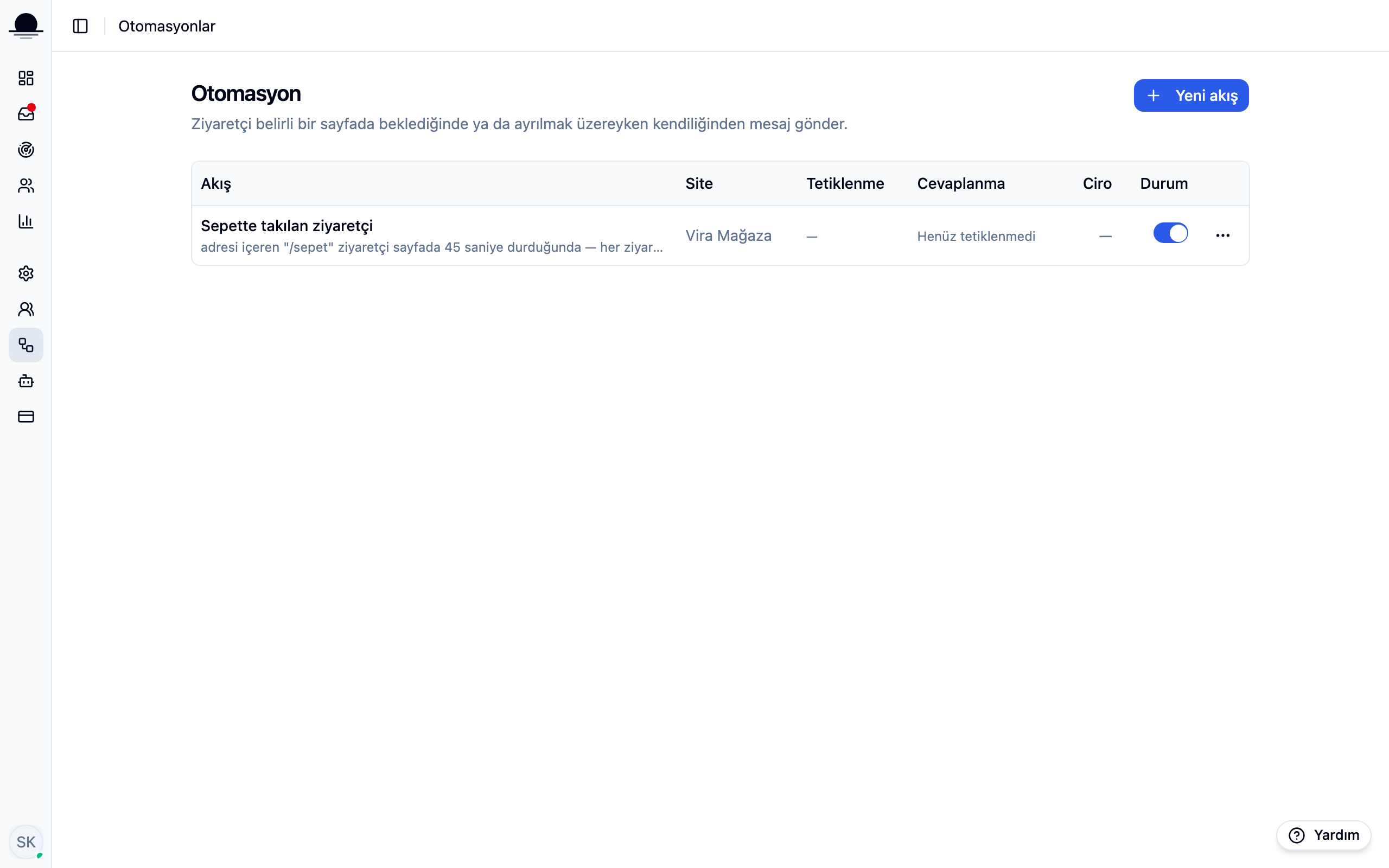
Set the trigger and the conditions
The right-hand panel asks when the flow should run: time on the page, a delay after arriving, or the visitor being about to leave. Give a page path and the flow only runs there; leave it blank and it covers the whole site.
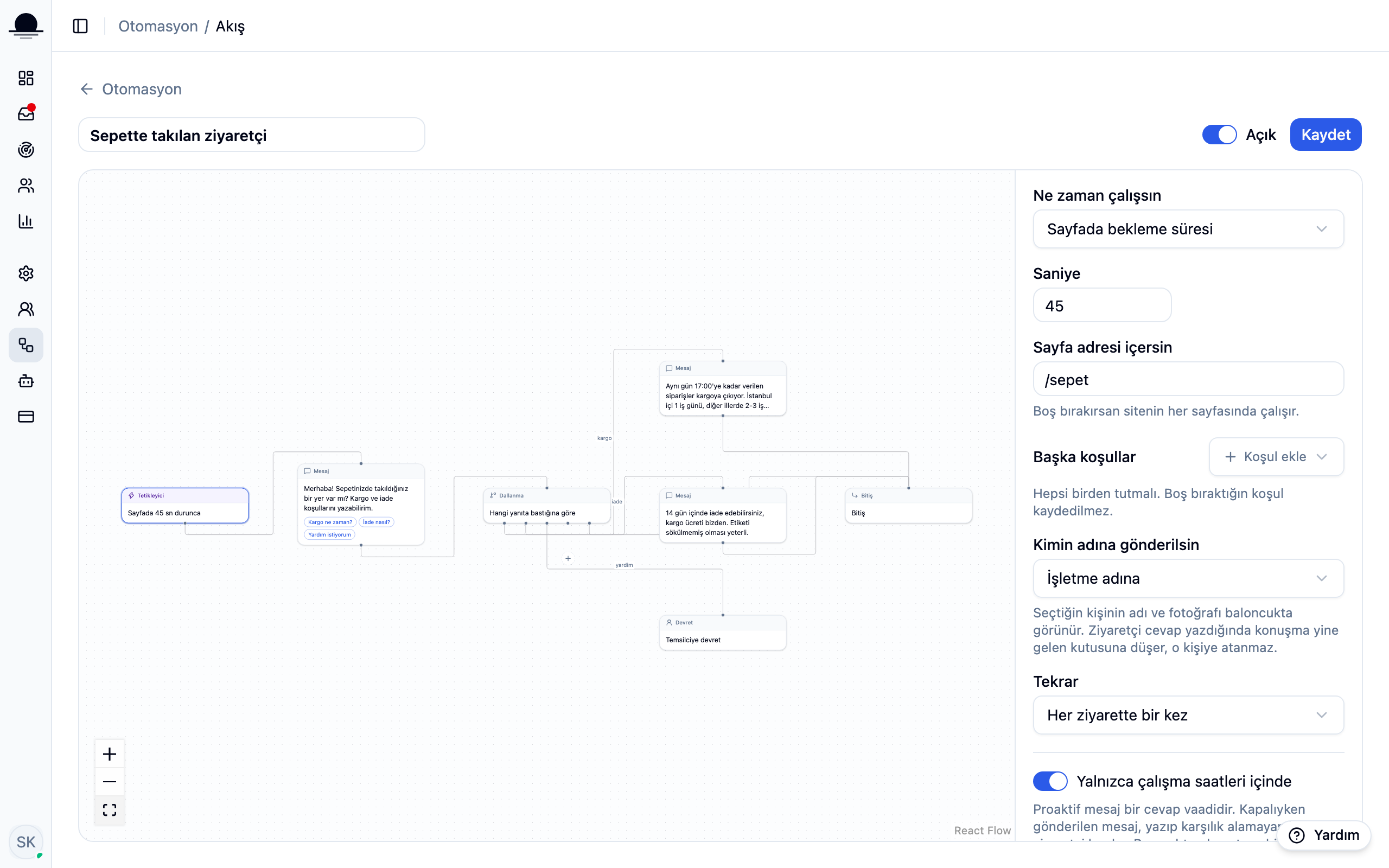
Leave the working-hours switch on. A proactive message is a promise of an answer, and one sent at three in the morning leaves a visitor writing into silence.
Wire the steps on the canvas
Write the visitor-facing text in a message step and add up to five quick replies under it. A branch step splits the flow by which reply they pressed. End on either a finish step or one that hands the conversation to an agent.
A flow cannot loop back on itself. Try it and saving stops you: this is what keeps a flow from raining messages on a visitor.
Save it, switch it on, watch the numbers
Once live, the visitor sees the message as a bubble beside the chat button; the conversation only opens if they answer. The fired and answered counts in the list tell you within days whether the flow earns its place.
Frequently asked
Related guides
No account yet?
The free plan covers 2 users and 200 conversations a month. No credit card.