Language
Run the chat box in more than one language
By default the box follows the visitor's browser language. Turkish, English, German and Russian come built in; for every language you switch on, the greeting, form texts and button labels come across with it.
Before you start
- A site registered in the panel
- The texts you want translated
Steps
Turn languages on and pick the primary one
The list on the Language tab puts each language's name, its own name (German · Deutsch) and its state side by side: on or off, how many texts are untranslated, which one is primary. Flipping a switch saves on the spot. The primary language is the box's default, and its texts are edited on the Appearance and Contact details tabs.
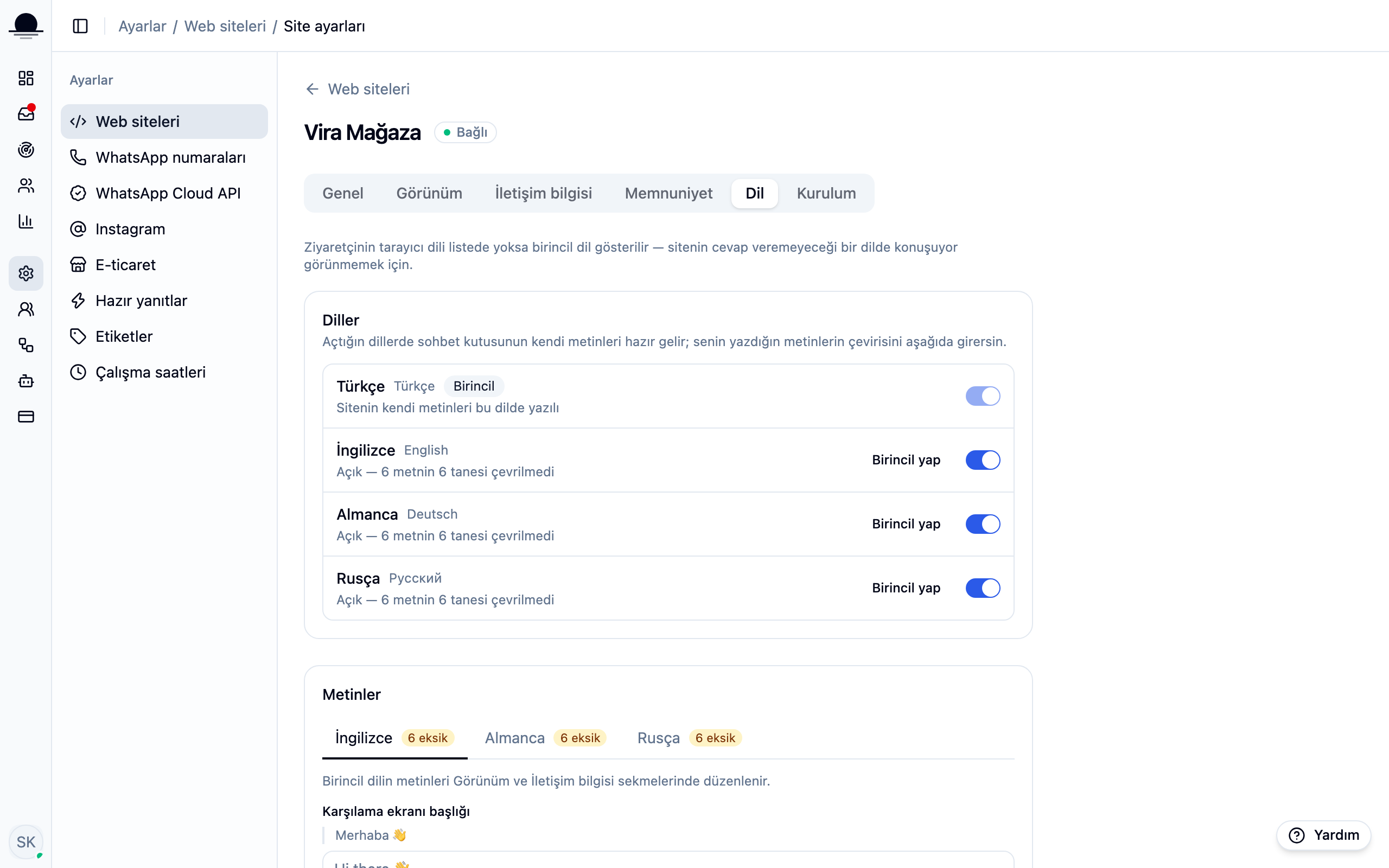
You can change the primary language later ("Make primary"). Your own texts do not move: they stay exactly as written and simply count as the new language from then on.
Add a language and translate the texts
Pick the language and each text appears with the primary-language version above it and your translation below. Writing a translation without seeing the original meant switching tabs for every line.
The badge on the tab counts how many texts are still untranslated. An untranslated line is not left blank; that language's default wording is used.
Know which language a visitor gets
The box reads the visitor's browser language and picks whichever of YOURS matches. With no match it falls back to the primary language: opening in a language your team cannot answer would be a promise you cannot keep.
The built-in languages are Turkish, English, German and Russian. The widget's own interface (buttons, error messages, the satisfaction survey) is translated in all four; the translations of your own texts you enter on the Language tab.
Pin the language from the snippet if you prefer
If your site already decides the language, tie the box to it:
lunachat('init', 'pk_live_…', { lang: 'en' }). The English page then opens an English box, whatever the visitor's browser says.
Frequently asked
Related guides
No account yet?
The free plan covers 2 users and 200 conversations a month. No credit card.