Tags
Sort conversations with tags
A tag says what a conversation was about in one word. The topic breakdown in reports, and the answer to what your customers keep asking, both come from this list.
Before you start
- Admin access in the panel
Steps
Open Tags under Settings
Add tag asks for a name and a colour. The colour is what lets you recognise a tag in the inbox without reading it, so keep close shades out of the list at the same time.
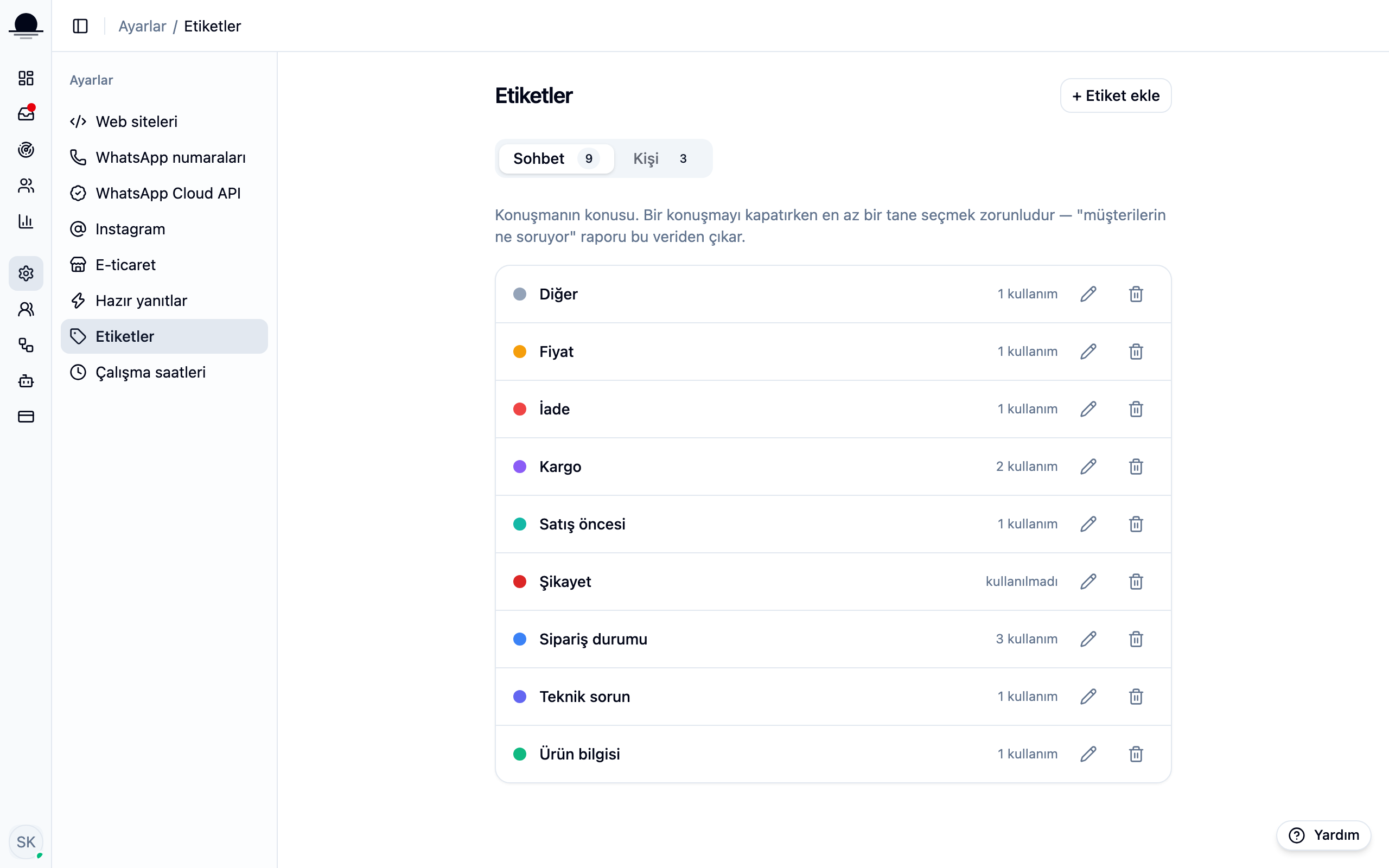
Start with a few. Shipping, refund, pricing and technical issue carry most teams through the first month; you add more as the need shows up.
Tag a conversation
The right-hand panel in the inbox has a Conversation tags section. The Tag button opens the list and what you pick sticks to the conversation. Closing also asks for at least one tag.
Keep contact tags separate
A tag on the contact card outlives the conversation: reseller, business, VIP. A conversation tag says what this thread was about; a contact tag says who the person is.
Frequently asked
Related guides
No account yet?
The free plan covers 2 users and 200 conversations a month. No credit card.