Team invites
Invite a teammate
The person you invite follows a link and sets their own password. Two roles: an admin reaches the settings, an agent answers conversations.
Before you start
- Admin access in the panel
- Your teammate's email address
Steps
Open the Team page
The list shows everyone in the workspace, their role, and anyone whose invite is still pending. The free plan has room for two people; Pro has no limit.
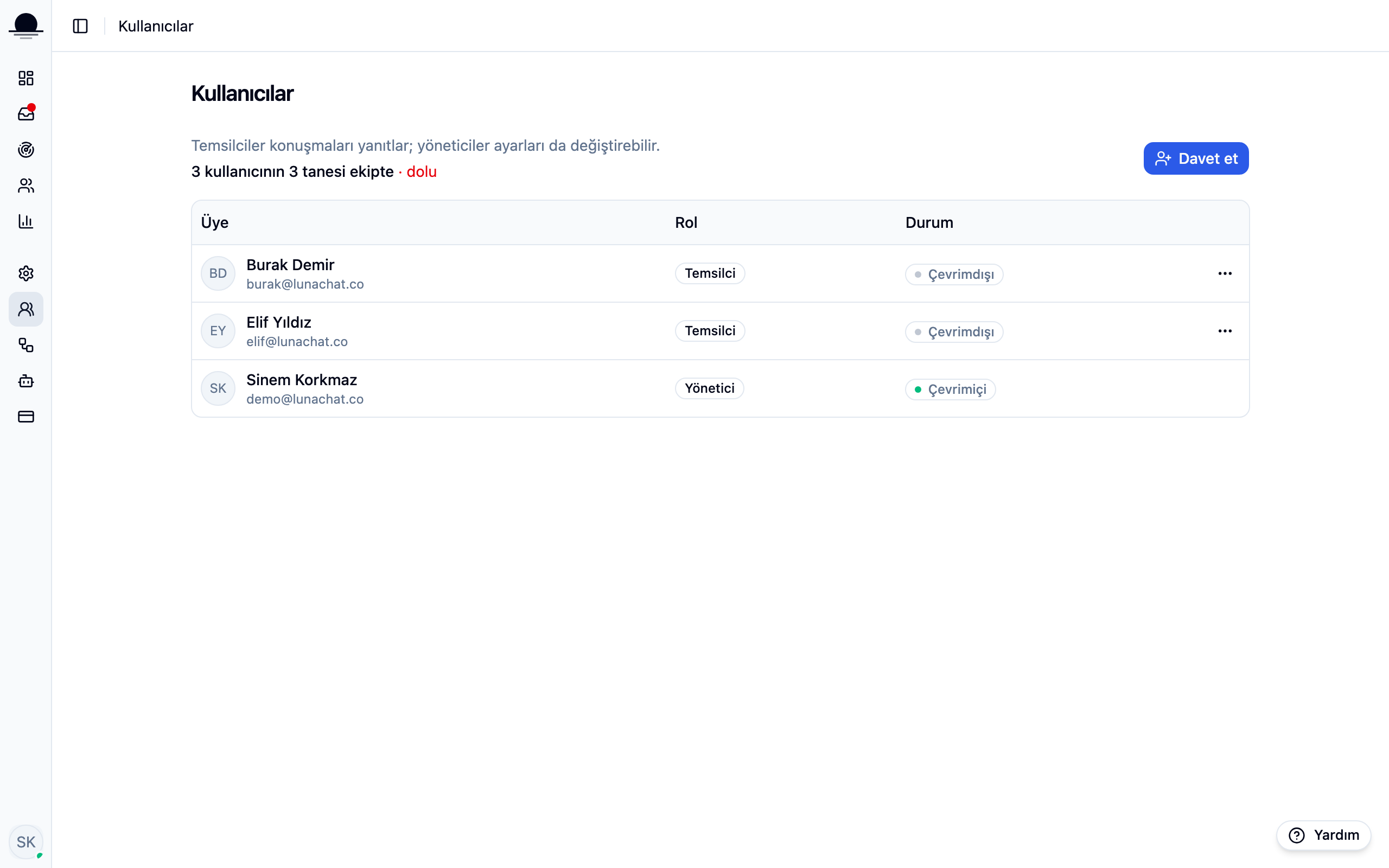
Hit Invite and pick an email and a role
An admin manages settings, billing and the team. An agent works in the inbox and stays out of settings. When in doubt, invite as an agent; raising the role later is easy.
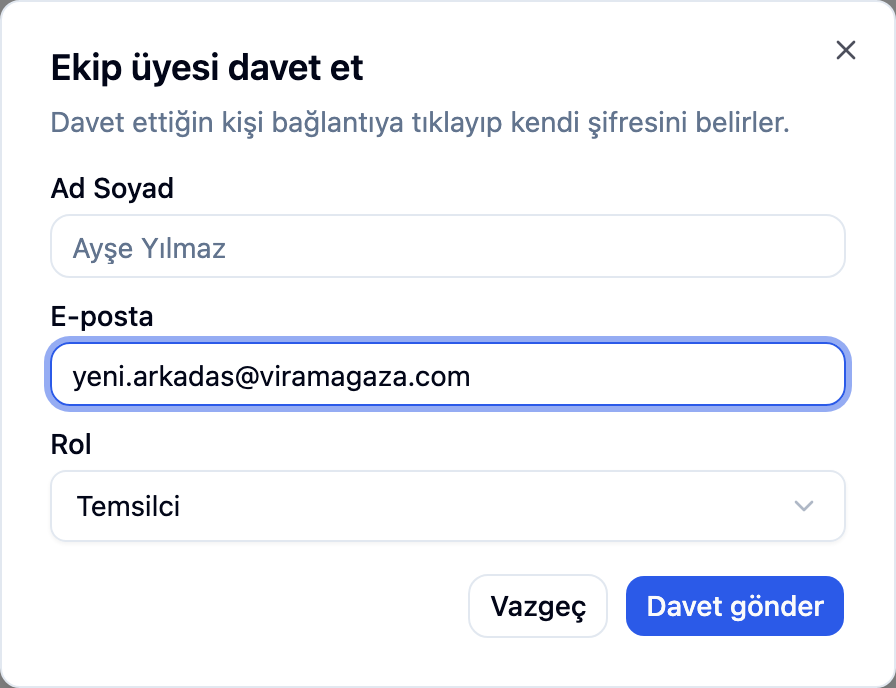
Pass on the invite link
The invite goes out by email. If it does not arrive, copy the link shown in the panel and send it over WhatsApp or hand it over in person; the invite lives on the link, not on the email.
Until they follow the link and set a password, they sit in the list as pending. Sent it to the wrong address? Cancel the invite and create a new one.
Frequently asked
Related guides
No account yet?
The free plan covers 2 users and 200 conversations a month. No credit card.