Plan and billing
Check your plan and upgrade to Pro
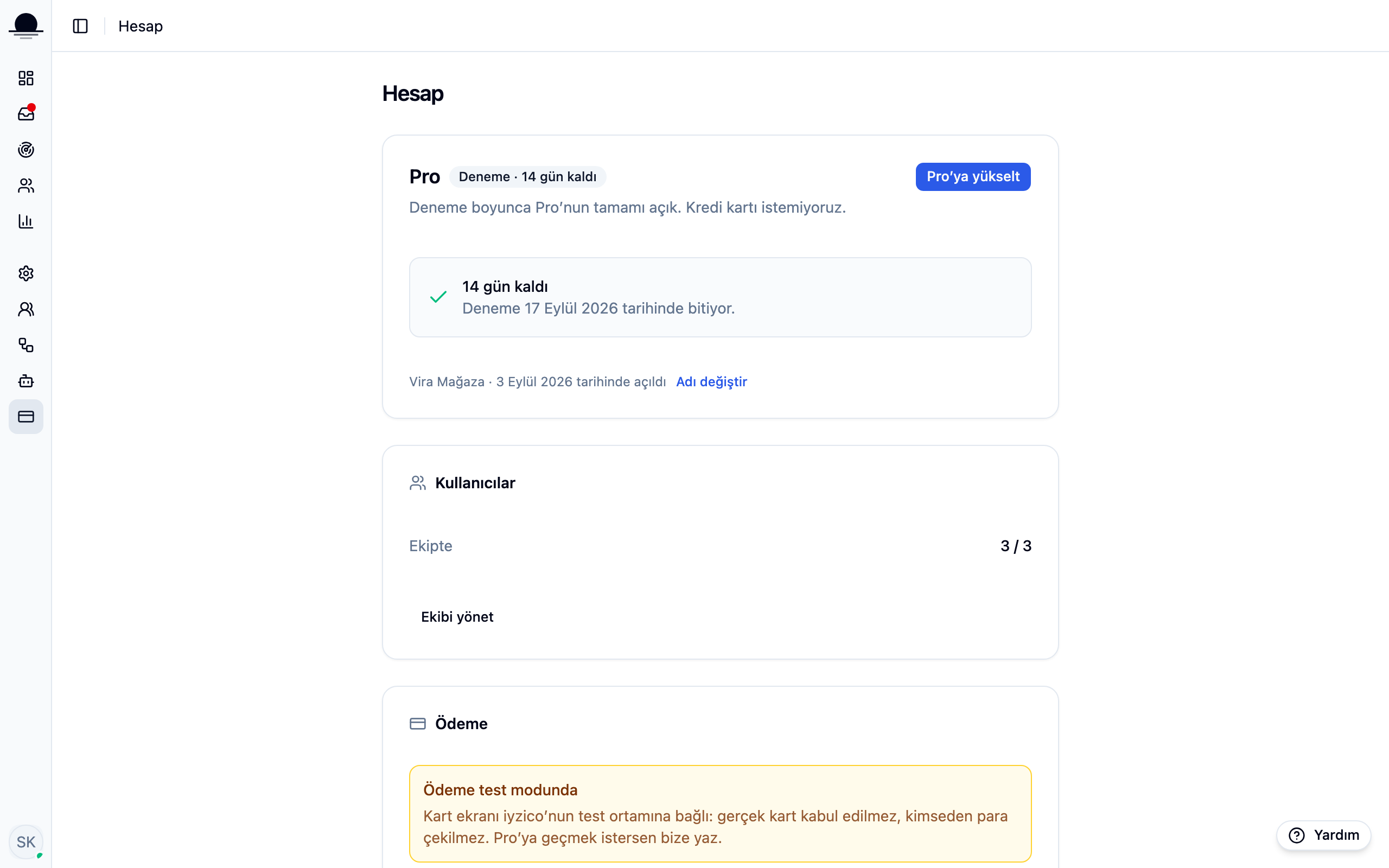
The account page shows which plan you are on, when the trial ends and how many seats you use. Upgrading happens on the same screen.
Before you start
- Admin access in the workspace
Steps
Open the Account page
The card names your plan and its state: days left if you are on trial, the limits if you are on free. The usage section below shows how many agent seats you are using.
Upgrade to Pro
Upgrade to Pro opens your billing details and the card step. Your bank confirms the payment with 3D Secure, and the card is stored by the payment provider, not by us.
If you are billing a company, get the tax office and number right. The invoice is issued from these details and fixing them afterwards means issuing a new one.
Check your payment history
After the upgrade, your payments are listed on the same page. The subscription renews monthly and you can cancel any time before the renewal date.
Frequently asked
Related guides
No account yet?
The free plan covers 2 users and 200 conversations a month. No credit card.