Routing
Route conversations to teams automatically
When a conversation opens, routing rules are tried in order and the first match wins. Write a rule keyed on the page address, the visitor's landing page, a campaign or a language, and the conversation drops into the right team.
Before you start
- Owner access in the panel; this page is only visible to the account owner
- At least one team already set up. A rule routes a conversation to a team, not to one person
Steps
Open the Routing page
Under Settings, in the Team and routing group, click Routing. Rules are tried top to bottom and the first match sends the conversation to its team; if none match, the conversation goes to the team of the site or number it came from.
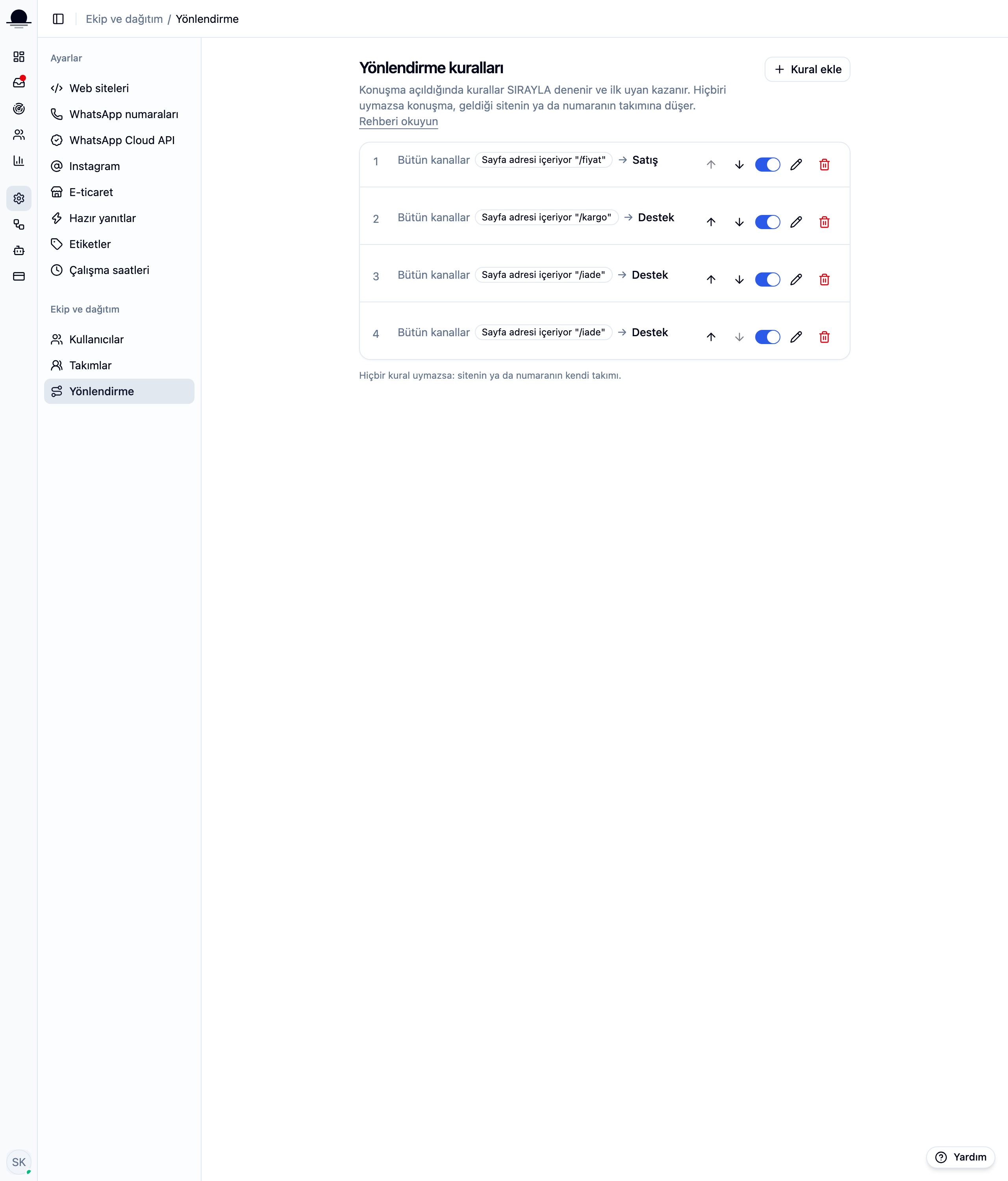
If you have no team yet, Add rule stays disabled. Set one up on the Teams page first.
Add rule and write a condition
First pick which channel the rule watches: all channels, web chat only, WhatsApp only, or one specific site or number. Then Add condition, pick a condition type, an operator (contains, equals, starts with) and a value. The condition types:
Page address— the address of the page the conversation opened on, e.g./pricingor/shippingLanding page— the first address the visitor hit this session, unchanged even if they browse elsewhere afterwardCampaign— a UTM parameter on the page address, likeutm_sourceorutm_campaignLanguage— which language the widget is currently open in
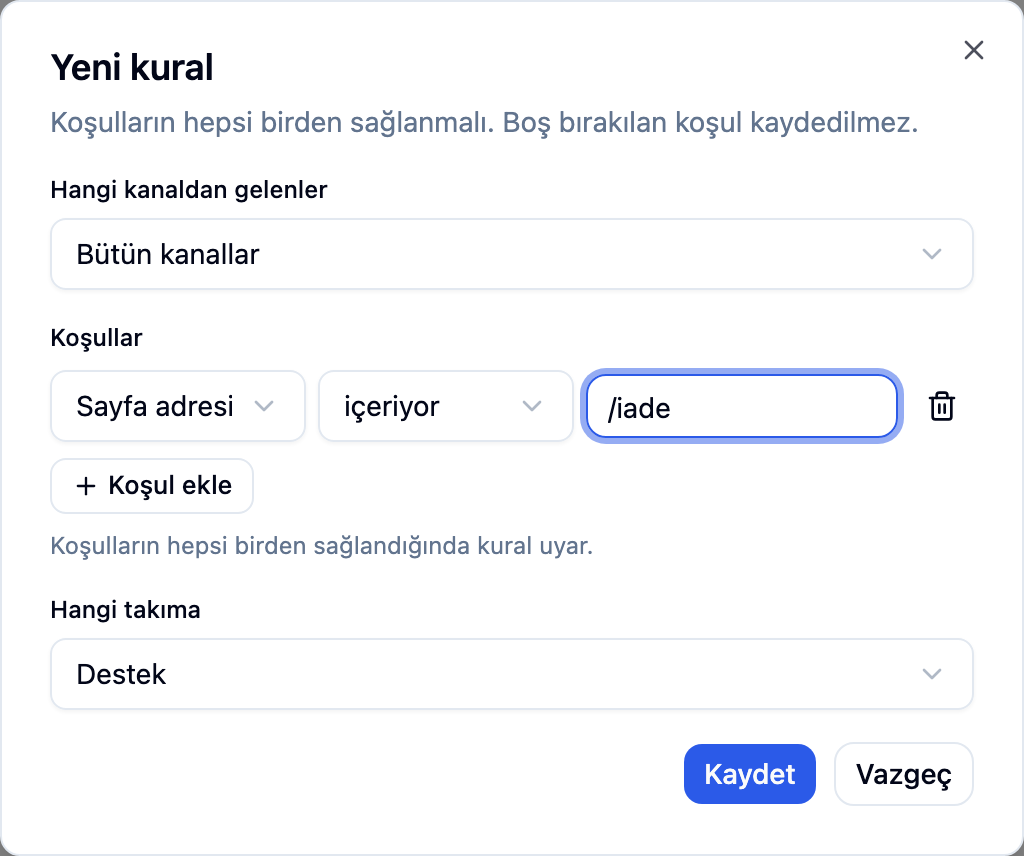
Skip the condition and the rule matches every conversation in its scope. Page, source and language are only known on web chat; WhatsApp conversations never match those conditions.
Save it, then order and toggle rules
A saved rule lands at the bottom of the list. Move it with the up and down arrows, or flip its switch to turn it off without deleting it. Order matters: when two rules could both match a conversation, the one higher in the list wins.
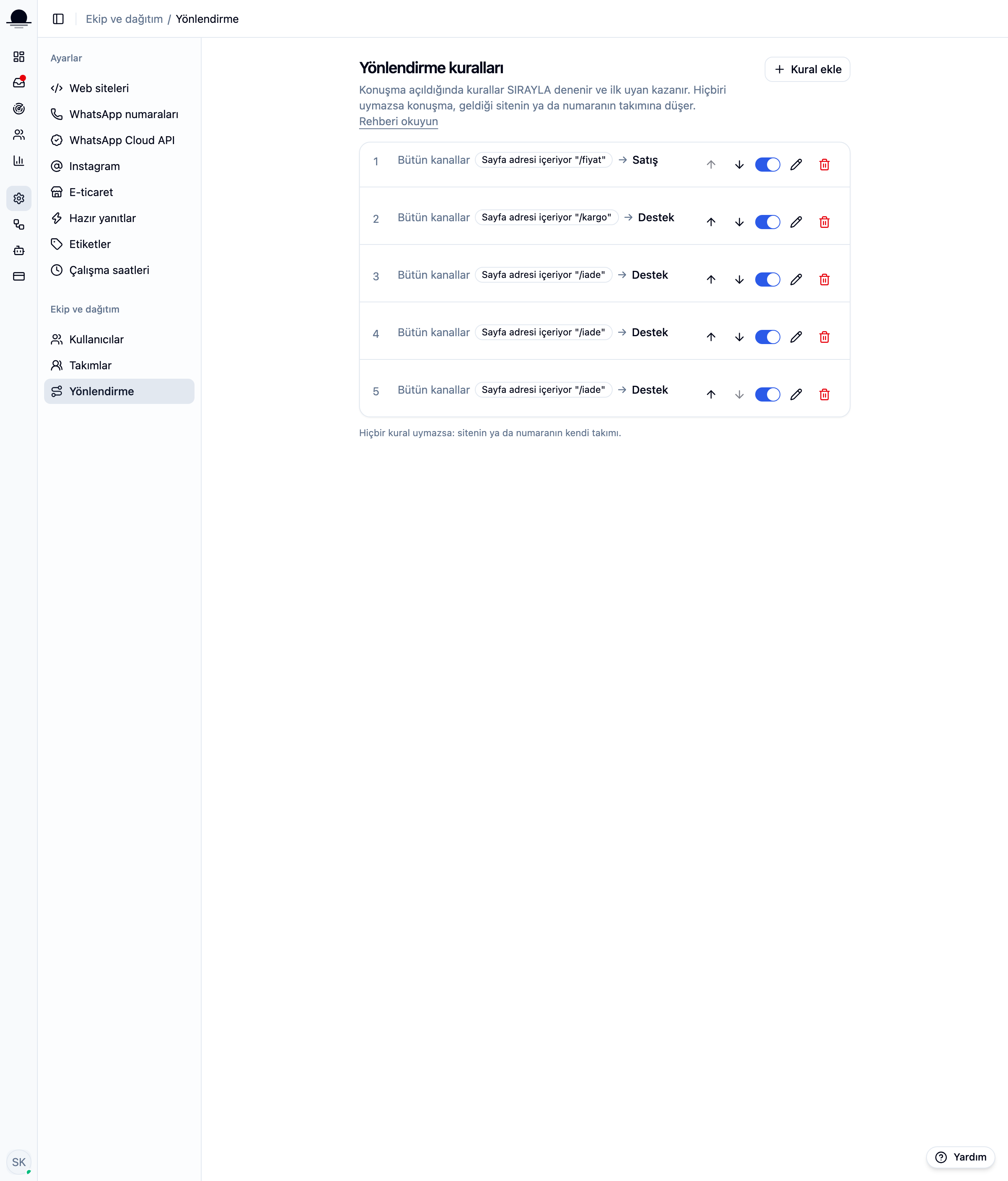
Move narrow rules for one specific page above broad ones; a wide rule sitting first always matches before the narrow one gets a turn.
Frequently asked
Related guides
No account yet?
The free plan covers 2 users and 200 conversations a month. No credit card.