Knowledge base
Add a knowledge base and handoff rules to your agent
The agent only knows the instructions on its Persona tab and the sources you add here. Add sources by text, document or site crawl; it hands off to an agent when it is unsure or a sensitive topic comes up.
Before you start
- An account on the Pro plan; the AI agent is locked on the free plan
- An agent already set up and connected to a channel (see How to set up an AI agent)
- The text or source file of what you want to add
Steps
Add a source from the Knowledge tab
There are three ways in. This example uses Write text, filling in a title and content:
Write text— for short notes, typed straight into the panel as a title and contentUpload document— for a PDF or text fileCrawl site— walks the pages on a domain you have the widget installed on and pulls their text
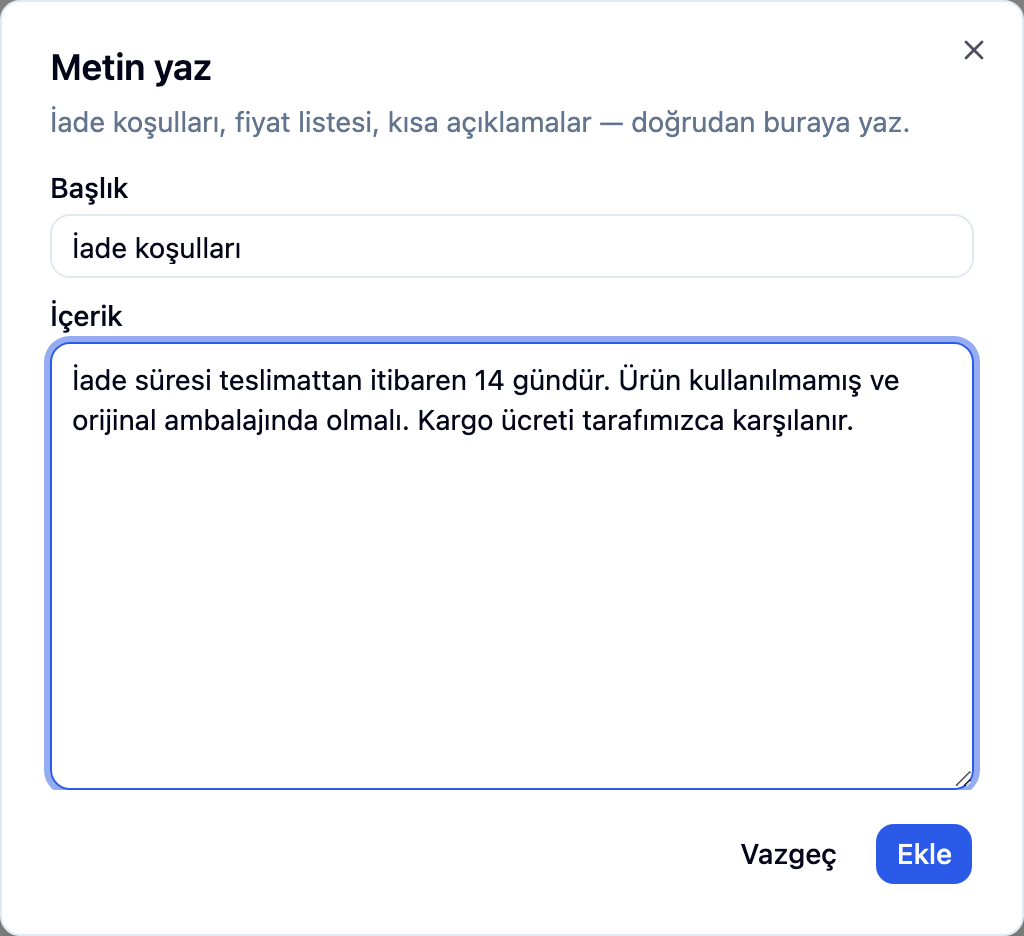
Editing the content later reprocesses the source, which costs again. Editing only the title does not.
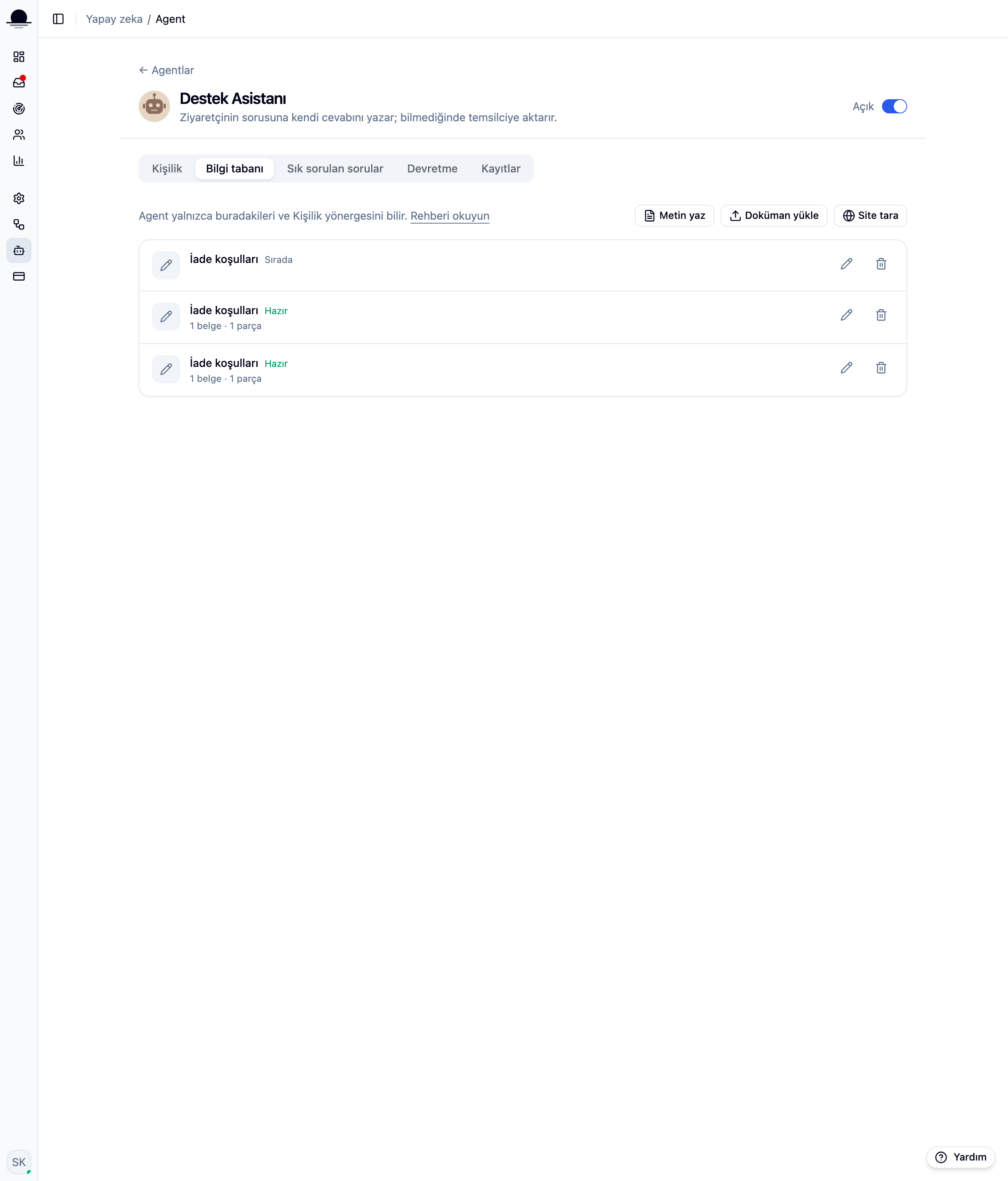
Wait for it to process
A new source shows Queued, then Processing; the list refreshes itself every few seconds while that is happening. Once it says Ready, the agent knows it. If one says Failed, a reprocess button lets you try again.
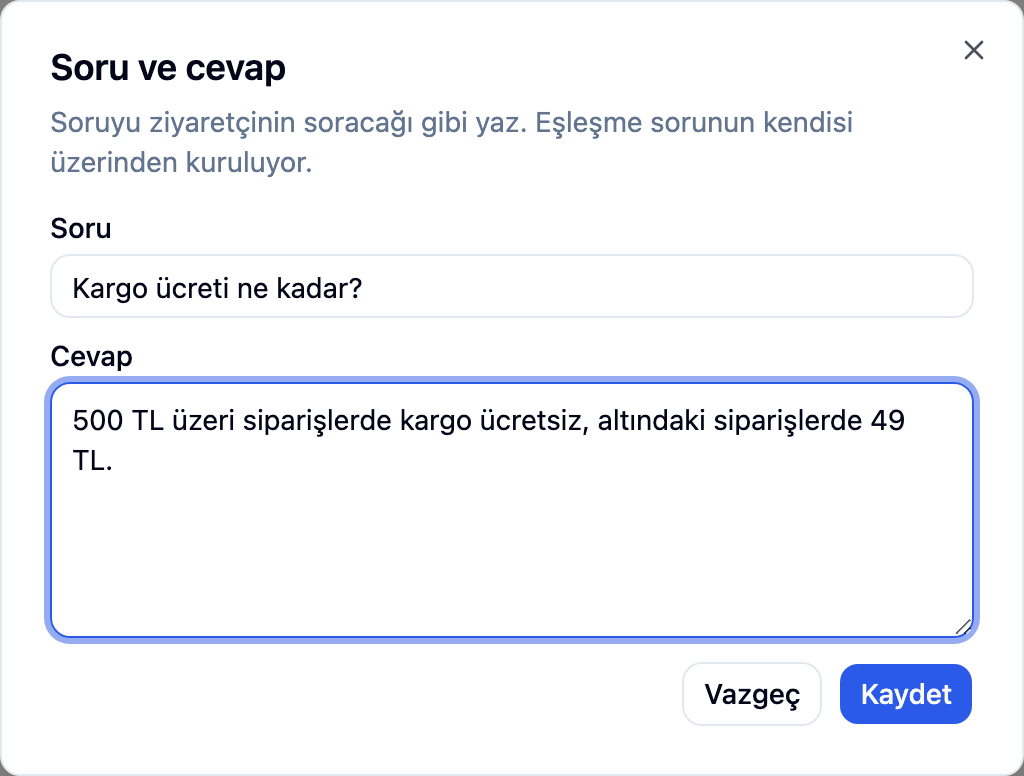
Add manual questions and answers from the FAQ tab
Questions and answers you write by hand are the source type that matches a visitor's question most strongly. The Unanswered questions card on the same tab collects real questions the agent found no match for; answer one there and the agent handles it itself next time.
Set when it hands off to a human on the Handoff tab
Four settings. A handoff pins the conversation in the inbox and leaves the agent's summary as an internal note for whoever picks it up:
Visitor asks— when on, a Connect me to an agent link appears in the widget after the agent answers; off, the visitor cannot transfer themselvesAgent is unsure— hands off instead of making something up when a question has no match in the instructionsSourceless answers in a row— counts answers given without a knowledge-base match, and hands off once it hits the limitTopics it will never attempt— a word from this list appearing in a visitor's message skips the model entirely and hands off right away
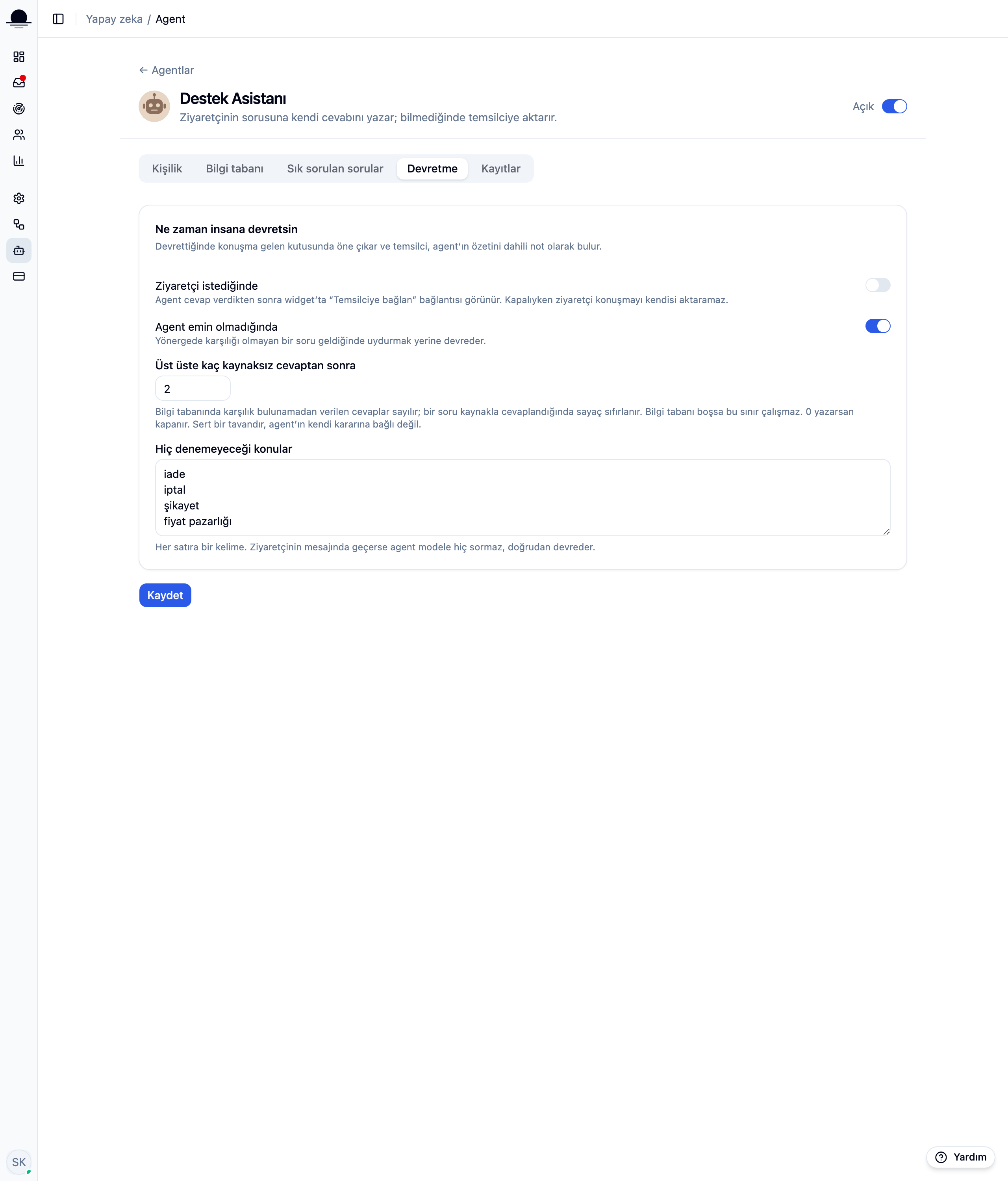
Put sensitive topics like returns or complaints on the never-attempt list, so the agent skips them entirely and hands off right away.
Frequently asked
Related guides
No account yet?
The free plan covers 2 users and 200 conversations a month. No credit card.